Friday, February 7, 2014

Ramps and Pathways- Week 2

"Play is our brain's favorite way of learning."  Diane Ackerman


We are discovering that ramps are everywhere!  Did you know a pool noodle can be cut in half to make a ramp for our marbles?  The inside groove is a nice place to roll a marble!   The pool noodle will also bend.  Our marbles can go up and down!   We added pool noodles to our ramp area in our classroom this week. 


We also discovered that we have a ramp in our hallway!  We walked up and down the ramp. It definitely takes much more energy to walk UP the ramp.  


  This week we performed an experiment.  We needed more room so we went into the hallway.   I told the children we were going to use the same ramp with several different balls and objects.   I asked each child to predict how far their individual ball was going to go.  

First, each child took time to look at the qualities of the ball.   Is it heavy?   Is it smooth?  Is it round?  Is it hollow or solid?   We are learning that all of these qualities affect how far our balls will roll.   We are learning to make good educated guesses.     

Next, I  gave each child a piece of tape and they marked the spot where they predicted their ball would roll.     Next came the fun part, we watched intensely as each child tested out their ball.   Wheeeeeeeeee!!!   The children discovered that the small, round balls will roll very far!    The big, heavy balls did not roll very far.   We also discovered that if the ball had a rough texture, it would not go very far.    The children had a BLAST conducting this experiment.   We also attracted several students from the upper grades who were passing by...they were fascinated by our ramps! 


WOW!  Look how far Abbie's ball is going!


RAMP CENTER EXPLORATIONS
Layna is excited to see how far her marble will roll.  She has connected 3 pool noodles in order to make a very long ramp.

Katelyn created a tunnel for her marble.   She also put a large ball at the bottom to stop her marble from falling off the table and onto the floor.  We are learning that obstacles can be useful! 

Gavin is testing out his marble on his newly designed ramp.   Will his marble go down and then up? Gavin is becoming a pro at creating ramps!


VIDEO:  This week we used our QR Codes to look at Outdoor Ramps. 


We are VERY thankful for our new discovery ramp set!   The wood is smooth and the students have been having a blast creating and designing new ramps.    Thank you! 


We also celebrated our 100th day of school.  We focused on literacy and math activities for the day.   The students really enjoyed seeing a picture of how they might look at 100 years.   They created an oral story using Audioboo.com.  I am very pleased to see their oral language skills increasing.  

We know that strong oral language skills leads to strong reading and writing skills. 


Monday, January 13, 2014

Exploring Ramps! STEM (Science, Technology, Engineering, Math)


Education is not the filling of a pail, but the lighting of a fire.

Read more at http://www.brainyquote.com/quotes/quotes/w/williambut101244.html#kTdhGSgtYcJZUUzW.99
 "Education is not the filling of the pail, but the lighting of the fire."-Yeats
Education is not the filling of a pail, but the lighting of a fire.

Read more at http://www.brainyquote.com/quotes/quotes/w/williambut101244.html#kTdhGSgtYcJZUUzW.99
Education is not the filling of a pail, but the lighting of a fire.

Read more at http://www.brainyquote.com/quotes/quotes/w/williambut101244.html#kTdhGSgtYcJZUUzW.99


Explore, Engage, Reflect!

We started our unit by exploring during circle time.  I put a ball and a piece of cove molding on the carpet and asked the question, "What can we do with these two objects?"   The students gave me several answers such as..we can make this ball bounce over the stick..... I can hit the ball and use the stick like a baseball bat.... we can hold this stick up and let the ball roll down.


After exploring our two objects, the students realized that of all the possibilities , they really enjoyed letting the ball roll down the molding.   The students were not familiar with the word ramp, so we discussed the definition of a ramp.    A ramp, or inclined plane, is a surface with one end higher than the other.
On the first day, I put several pieces of wood and balls in our block area.  I did not give any directions.    I wanted to spend the first few days allowing the students "play" with the materials.   I was amazed at what they did during their time in the block area.   I stepped back and just observed. In the following videos, you can see the students in action during the exploration days. 


In the first video, the students are exploring the materials.  Look at how quickly they become little engineers!!  
 

 In the second video, you will see the same group construct a more complex ramp. 


In the third video, you will see more exploration with the ramps during our first week!


--TECHNOLOGY--

I encouraged the students to take their Ipads to the block center.   They took photos of their creations.

The photos will later be used when they create a digital story using a storytelling app.


Comparing, Categorizing and Predicting
I asked each student to bring in an object to use in our experiment.   Would our objects roll, slide or stay put?  Each child came forward and placed the object on the chart and made a prediction.   I loved to see their brains at work.   Many of the students pointed out that the shape and smoothness of the objects would affect whether it would roll, slide or stay put.    One student had a marker and predicted that the marker would both slide and roll!   Brilliant!!   He was absolutely correct!   We made conclusions after testing our objects.  I posed the question, "Why do these objects roll and others do not?"  The class concluded that round, smooth objects will most likely roll and flat objects will most often slide.  We did have a few exceptions.  The marker will roll when placed horizontally and slide when placed vertically.    During center time, I put the chart in the area with our ramps and let them continue making predictions.     I do believe I see the scientific method being put into action!

Great job Pre-K!


I am looking forward in anticipation at what next week will hold for our Ramp unit.  I am sure we will see students begin creating more sophisticated ramps.  We will look at motion and speed and measure the distance that the objects will roll.   We have so much more to learn!   

Thursday, January 9, 2014

We can bring the snow indoors!

Snowmen fall from heaven... unassembled.
-Anonymous

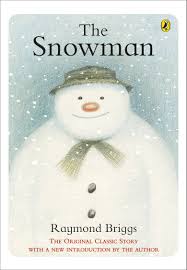
 School is back in session!   This week has been one of the coldest that Alabama has seen in quite some time!   Brrrrr!   All of the students were hoping for a good snowfall, but it did not happen for us in Alabama.   So, to cheer them up, I decided to spend the week bringing the snow indoors!   I adore Raymond Briggs' book, "The Snowman".    This book does not have any words, so the children were able to use their imaginations and create their own personal snowman story.     See the pictures below and see the fun way we incorporated our Ipads in our literacy lessons this week! 
 
The Snowman is one of my favorite books!
We looked at the pictures and created our own story.  This is great for oral language!


Abbie is placing the hat on the snowman. 

We had a fun sensory experience with shaving cream and glue. We have so much fun in Pre-K!

Katelyn spreads out the "snow".  Who says we can't build a snowman in Alabama?

Next, each child took turns recording their snowman story.   I only have one MAC book in my classroom, so this took a little time.  I like to use Audioboo.  It will allow up to a 3 minute recording.
While each child took their turn recording on Audioboo, we went ahead with our lesson.  This semester we will be using ABCMouse.com.    Each child has an app on their Ipad that will link them to the site.  As a teacher, I am able to go into each student account and assign lessons for each child.   In the picture above, I am teaching them how to access their own personal learning space.   Almost all of my students caught on right away, and went to work.   I love that this program allows me to differentiate learning at the click of a button.  Afterwards, I am able to look in my account and see how they did on each assignment.  


Kerrigan is working hard on her math assignment. 

So, while my students worked independently on their I-pads, I took each child one by one and let them record their snowman story online.   With the click of a button, it created a qr code.  


The QR code will link to audioboo.com and you can listen to each child tell their own story about their snowman.                           How cool is that?


Last but not least, I wanted to add a picture of the snowmen that we created for our tree that is outside of our door.  

What a great week in Pre-K!


Thursday, November 14, 2013

Social Stories and I-Pads

 That is what learning is. You suddenly understand something you've understood all your life, but in a new way.-- Doris Lessing

For the past 2 weeks, my student intern from Jacksonville State University has been teaching her fall unit.   The students have been enjoying all of her fun and creative activities.  Mrs. Sarah is doing a fabulous job teaching our Pre-K class.   I am very proud of her.   She is going to be an awesome teacher!  Mrs. Sarah will be with us until November 22nd.   She is going to be greatly missed when she leaves.  

While Mrs. Sarah has been teaching, I have been steadily working on a set of social stories for our students.   You might ask, what are social stories?   A social story is a concept devised by Carol Gray in 1991 to improve the social skills of people with autism spectrum disorders (ASD).  Social stories help teach students routines, expectations, and behavioral standards in an alternate way.  The information is presented in a story format and gives visual examples of behavior expectations.  The goal is to provide suggestions for conduct in specific social situations.    These stories are great for all children, but can be extremely effective for students on the autism spectrum or for those children with ADD/ADHD.   Sample story topics from the past week include: “I Feel Angry”, “Manners in the Lunchroom”, “Circle Time”, "Walking in the Hallway" and “Preparing for Veteran’s Day Program".    The topics that can be chosen for a social story are endless.  I create a story when I see a particular need in my classroom.  

When considering how I would create the social stories, I thought of none other than our Ipads!   These devices are just too handy!   I decided to try out several apps.    The first story I created, "I Feel Angry" was created with IBooks Author.    I liked the simplicity of the application (very user friendly) and I loved the fact that the story could be instantly downloaded into IBooks.  There are still a few things that I still need to tweak, but overall I am pleased with the end product! 


The second app I used was called Move and Match.   This app is not intended for storytelling, but I knew it would be very interactive and that my particular student would benefit from this particular style.    I created a social story (without words) for lunchroom behavior.   The student must arrange the pictures that show good behavior under the smiley face and bad behavior pictures under the sad face.   I took a screen shot so that you could see what the app looked like: (keep in mind that the pictures can be moved and manipulated on the app. 

The third I app I used is called Kid In Story.   Kid in Story Book Maker is very easy and fun to use.  It allowed me to create a social story that supports early literacy with the student as the star character!     You can take a picture of the student and it will superimpose it directly into the story! The app also comes with an audio option, and the story can be set to read to the child automatically.   Can we say brilliant?     We created a story about getting ready for our Veteran's Day program.   Many children have difficulty when schedules change and my goal was to have my student ready and prepared for the upcoming change.   I also used this app to create a social story about what kind of behavior is expected in the hallways.   Personally, I think the social story is more effective when the child's picture is used in the story itself, so that is just what I did with both of these social stories.   The students definitely favor the stories that include their picture.

A sample script from one of our social stories goes like this:

"I am a big boy.  I go to Pre-K at Kitty Stone Elementary."
"At school, I have to follow rules.  One of the rules is how I should walk in the hallways. I need to walk and not run."
"I need to be quiet and not stomp my feel while I am walking in the hallway.   I keep my hands behind my back at all times."
"I keep my eyes on my teacher and face forward."
"I can be a big boy.  I can have a good day at school."

I included pictures and audio to go along with each story.  

 I am very pleased with this app and will also be using it for digital storytelling in the near future!  I would love for the students to create a story when they return to school after our Thanksgiving Break.  I know they will have lots of experiences to share.

Have a wonderful Thanksgiving,
Love,
Mrs. Weathers


Wednesday, October 23, 2013

Math and I-pads!

What a fantastic couple of weeks we have had in Pre-K!   This week, our curriculum is focusing on the letters:  Tt, Gg, Ee and Rr.   We have added new QR codes to our bucket that include songs that review these letters.  We also added the Five Little Pumpkins poem and the Life Cycle of the Pumpkin. The QR codes give the children instant and safe access to online material.   When making our QR codes, we use Safeshare.TV.   This site gives me a link to a safe site for children to view the videos. 

The children have also been exploring our sensory area.  Our sensory bins are full of corn, leaves and tiny, plastic pumpkins.   We love to dig for our treasures!  Our rice bin is full of tiny, plastic spiders and skeletons!   Our sand table still contains foam letters and seashells.   The children cannot get enough of the soft, white sand from the Gulf of Mexico.    (I can't either!) 

This week the children became very familiar with one of my favorite apps Doodle Buddy.   This app is free and can be used in so many different ways.    This week we used it to practice writing letters and counting.   The children had such a fun time choosing colors and items to count.  

This is my 6th year of teaching and everyday I get more and more excited about the opportunity to be 1:1 I-pad in our classroom.   This is the first time in my teaching career where I have seen 100% of my students be actively engaged in lessons on a consistent basis.   This is how we must teach the next generation.  

The video below is of the children writing numbers using the app Doodle Buddy.   Can you see and hear the excitement?    
The pictures are of the students using Doodle Buddy to count objects (one to one correspondence).  What I also love about the I-pad is that the students can take a screen shot of their work and save it to their camera roll.  We have instant assessment!!    ENJOY!


Friday, October 11, 2013

More Digital Storytelling!


Our I-pads are becoming an integral part of our classroom. My goal is to not just pull out the I-pads for "tech time", but to fully use them as a learning tool throughout the school day.   We are making great strides in that direction!  All of the I-pads have been loaded with specific apps that meet the individual need of each student.   The variety of apps on the market is astounding.   I can find an app to focus on just about any Pre-K standard.  (In a future blog post, I will share with you some of my favorites!)  The apps (and I-pads)  will never replace good instruction from the classroom teacher, but they can be a powerful tool to enhance learning or extend a skill.     Having a class that is 1:1 Ipad has allowed me to differentiate instruction in a way like never before.  While one group may need to focus on a math skill such as patterning, another group may need remediation on a specific literacy skill such as rhyming.   This is our first year to be 1:1, so we are learning as we go...and we still have a long way to go.   I am always in a constant state of planning, teaching, and reflecting. 

This past week the fire truck visited our school!   Prior to its arrival, we read books and talked about fire trucks.  We made a chart with all kinds of words that we think of when we see a firetruck.   When the fire truck came on Wednesday, the students used their I-pads to take pictures.   Afterwards, the students created a digital story about their experience using MyStory App.  The students imported pictures from the camera roll and used them in their digital story.   They had so much to share!   The children really love the audio feature on the app.   It's great for them to listen to themselves telling the story.   Sometimes, they will want to go back and correct something they don't like.   This app is not only making them good writers and storytellers, but also good listeners
 
Please click on the following links and you can see a sample of the stories from the week.   Don't forget to listen to the audio.  You will need to click the play button.    Enjoy! 


Fire truck story #3 

Fire truck #4 

Five Little Pumpkins Re-Tell  (this story is having a hard time loading..please click the arrow on the right side of screen and it should work)